Back to the shelf

023

Akshansh Reads Fast

A single-page RSVP speed reader: one word at a time, one fixed point, no eye movement wasted.

Launched · Started January 2026 · Tool · Vibe-Coded

That's the whole thing.

The site's sound is off. The narration still plays.

This reading didn't load. The transcript is below.

Read the transcript

Your eyes move constantly when you read. They scan each line, dart back, start over. That movement is the bottleneck.

In January twenty twenty-six I built a fix. You paste any text, and it flashes one word at a time in the same spot on screen. Your eye stays still. The word comes to you. Rapid serial visual presentation, it's called. Each word marks its fixation point, the exact spot your eye should land.

I vibe-coded this with AI. It launched and it works. Adjustable speed, a scrubber to jump anywhere, themes for long sessions. One HTML file, no dependencies. It is always one browser tab away. If you want to read faster, try it.

Narrated in my own cloned voice, generated with ElevenLabs v4.

Your eyes move constantly when you read. That motion, scanning left to right, jumping to the next line, drifting back to re-anchor, is the main bottleneck. I built Akshansh Reads Fast to take it away.

Paste any text, pick a words-per-minute pace, and the app shows one word at a time in the same spot on screen. Each word marks its optimal fixation point, the spot where your eye should land, so you stop hunting and start reading. The technique is called rapid serial visual presentation.

Small practical decisions are baked in. A progress scrubber lets you jump to any point in the text, switchable themes make long sessions easier on the eyes, and the app remembers your settings locally so you don’t reconfigure every time. One HTML file, no dependencies. It opens in any browser tab and does one thing well.

I vibe-coded this in January 2026 with AI, mostly as a personal experiment. It’s launched. The goal was simple: give myself, and you, a tool that’s always one tab away and asks nothing to install.

The making

  • HTML
  • CSS
  • JavaScript

01 · The problem

Before it existed

What hurt

Reading is slow because the eyes scan along every line, jump back, and hunt for the next place to land.

Who uses it

  • Me, reading long text
  • Anyone who wants to read faster in a browser tab
  • 1HTML file, no dependencies
  • 5commits
  • 100–500words per minute range
  • 3themes

02 · The flow

4 steps, in the order they happen

  1. 01 / 04

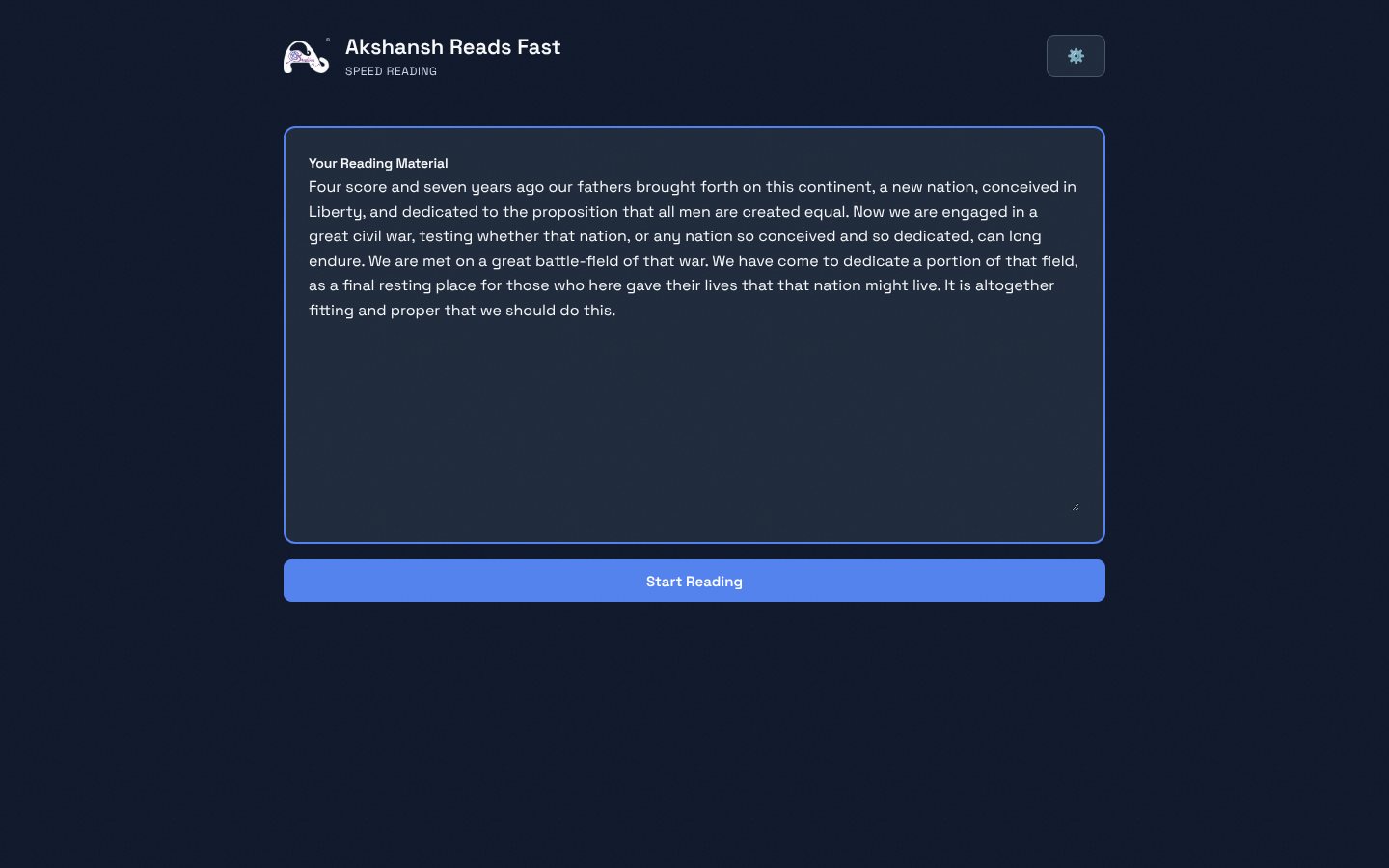
    Paste the text

    You
    Pastes any text and presses Start
    It answers
    Splits it into words and loads the reader
    A large text box holding a pasted passage, with a Start Reading button
  2. 02 / 04

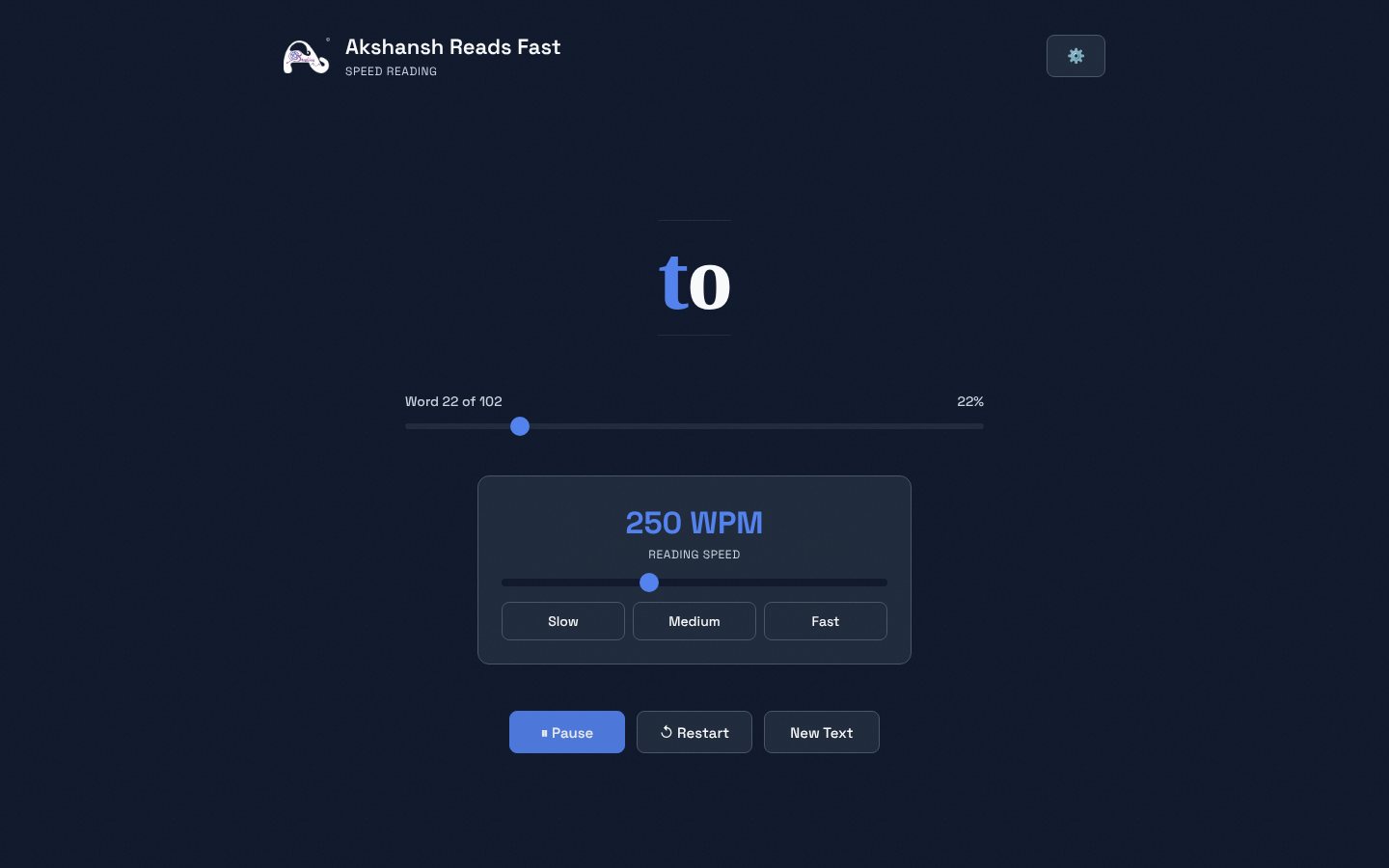
    Watch one word

    You
    Presses Play and keeps still
    It answers
    Flashes each word in one spot with its focus letter in colour
    A single word on a dark screen above a progress bar and a speed panel at 250 words a minute
  3. 03 / 04

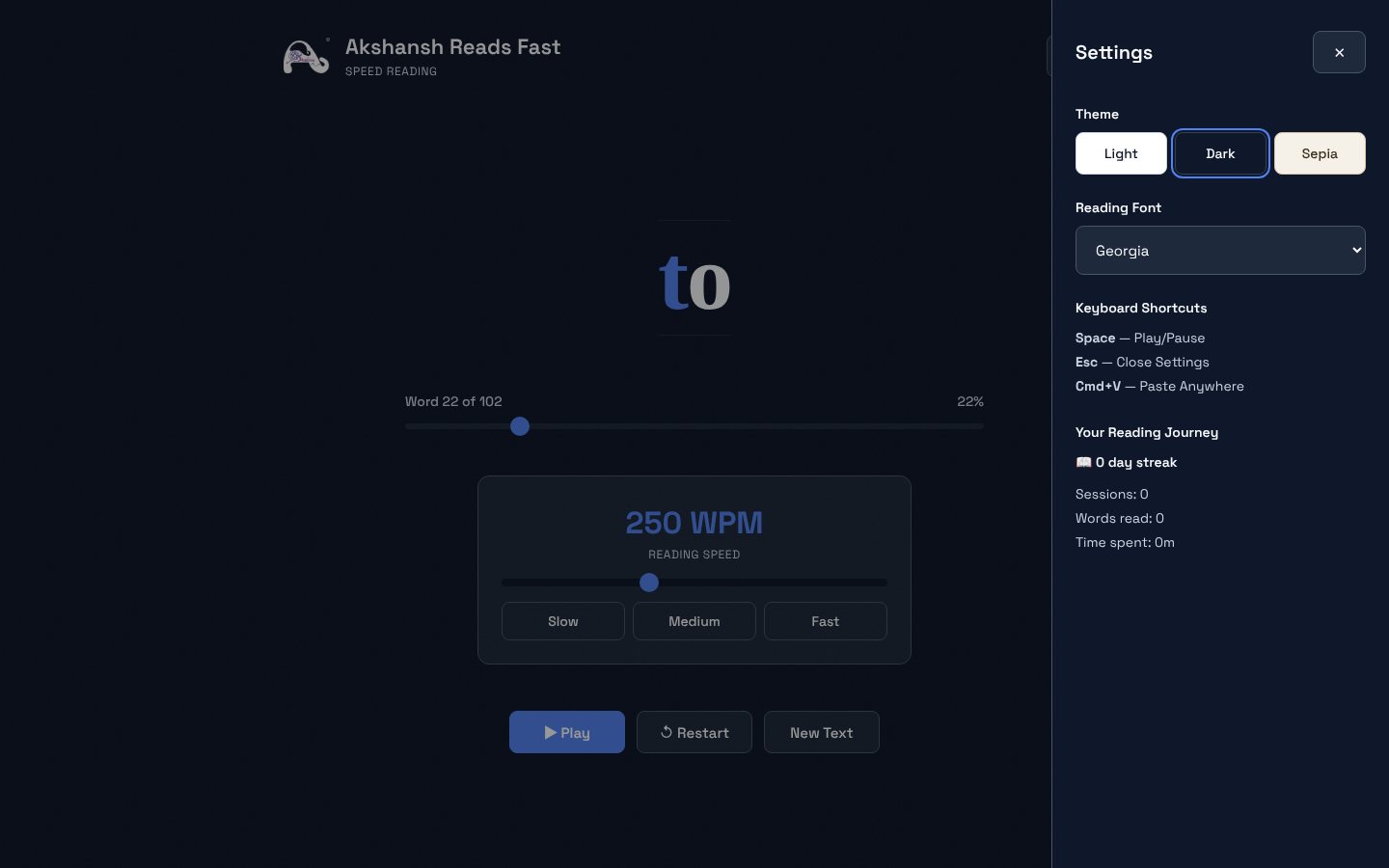
    Tune the reading

    You
    Opens settings
    It answers
    Offers light, dark and sepia themes, reading fonts and a running tally
    A settings panel with three themes, a font menu and reading statistics
  4. 04 / 04

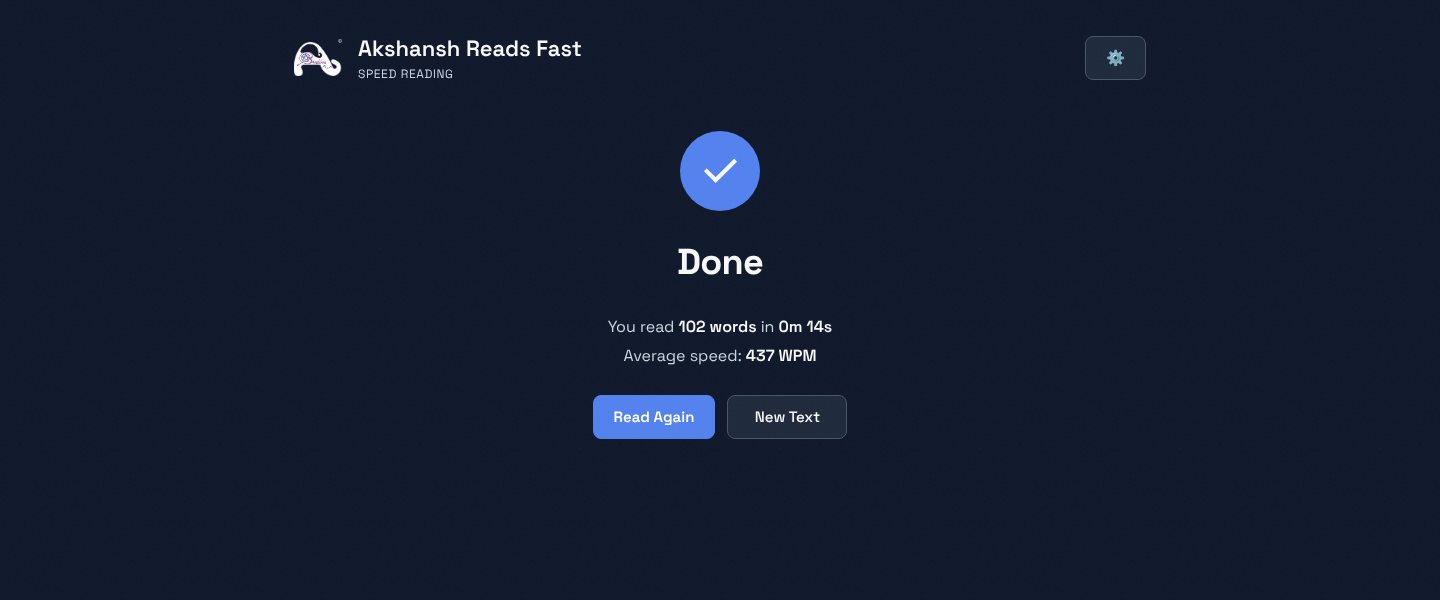
    See how you did

    You
    Reaches the last word
    It answers
    Shows the words read, the time taken and the average speed
    A Done screen reading 102 words in 14 seconds at 437 words a minute

03 · What was special

What it stands on

  1. A fixed focus letter

    Each word is drawn with one letter, about a third of the way in, in colour, so the eye lands in the same place.

  2. Smart pacing

    Sentence ends wait 1.8 times longer, clause breaks 1.3 times, and long words 1.2 times.

  3. Nothing to install

    One file, no network calls. Preferences and stats stay in the browser.

The word comes to the eye. The eye stays put.

Making-Of

Reading is slow because the eyes move. I stopped them moving.

The first brainstorm entry and the first commit, the same day

  1. The world before

    Reading means scanning each line, jumping to the next, and drifting back to re-anchor. That motion is the bottleneck.

  2. One day

    18 January 2026. The idea: a rapid serial visual presentation reader, one word at a time with a fixation point. Version 1.0 was committed that day.

  3. Because of that

    1. 18 January 2026. Version 1.0, then a hosting fix and a new favicon, all the same day.
    2. 21 January 2026. A reading font, Charter, added to the choices.
    3. 2 February 2026. A larger update: the working conventions written down in an AGENTS file for coding agents, with the page reworked.
  4. Until finally

    A single page that reads any pasted text one word at a time, with three themes, font choices, and session stats.

  5. Since then

    The repository has had no commits since 2 February 2026.

The evidence Process, hands, and artifacts

Process

  1. Origin

    An RSVP reader as one dependency-free HTML file

  2. Release

    Version 1.0, readied for hosting, with a favicon

  3. Reading comfort

    Charter added as a reading font

  4. Conventions

    Architecture and conventions recorded for coding agents; page reworked

Hands

Akshansh

  • The idea and the reading technique to use
  • Brand and theme choices

Agents

  • Claude CodeBuilt the page, guided by the repo’s coding guide
  • WarpAgent the AGENTS file was written for