Back to the shelf

039

DPR – Daily Progress Report

A structured daily docket for department heads: three lanes, automatic carry-forward, and a clean report out in under five minutes.

Launched · Started April 2026 · Web App · Vibe-Coded

That's the whole thing.

The site's sound is off. The narration still plays.

This reading didn't load. The transcript is below.

Read the transcript

The daily progress report was an Excel file. An artifact is easy to delay.

I built DPR in April twenty twenty-six for department heads at a pharma company, vibe-coded with AI. One calm surface, like a pre-ruled dispatch docket: flags for management, assigned projects, and updates on the long-range mission. Yesterday's open items carry forward automatically. You only write what changed. It builds the email and opens your mail client. Under five minutes.

A weekday streak and a completion ring provide a reason to return to a daily ritual. It is local-first. Your data stays on your own device.

It launched, and it is live. Short, structured, and calm is the aim.

Narrated in my own cloned voice, generated with ElevenLabs v4.
DPR – Daily Progress Report
No. 039

The daily progress report was an Excel file. An artifact is easy to delay.

I built DPR in April 2026 for department heads at a pharma company, vibe-coded with AI. The aim was to make the daily ritual short, structured and calm: a clean report out the door in under five minutes.

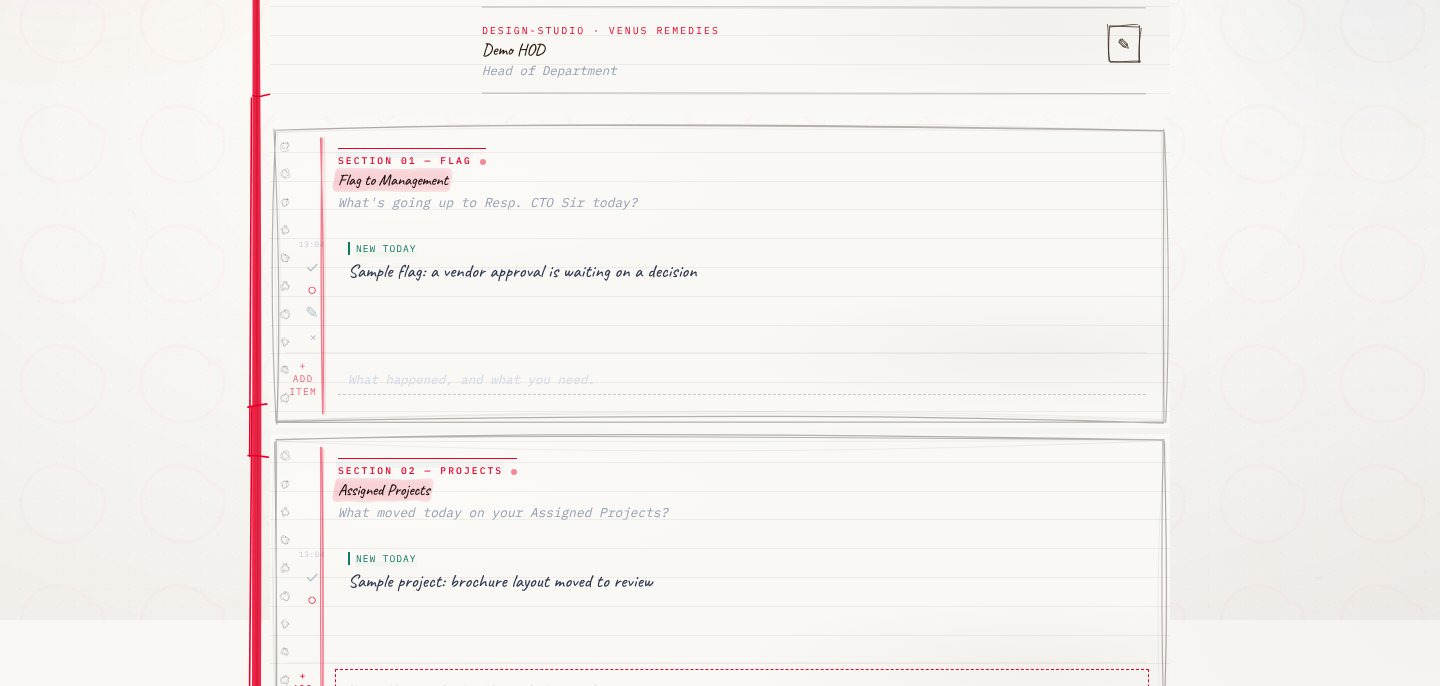
You set up a local profile once. After that, every day opens a single surface: a pre-ruled dispatch docket with three lanes. Flags to management in the first, assigned projects in the second, and updates on the company’s long-range mission in the third. Open items carry forward automatically, so you only write what changed.

When you’re done, DPR builds a plain-text email with a fixed subject line and opens your mail client. If that doesn’t work, it falls back to the clipboard.

There’s a weekday streak and a completion ring. Small, but they make the ritual feel like something worth showing up for.

The app is local-first and installable. Your data stays on your device. Built in React, TypeScript and Vite.

DPR is a sibling to the mission workbook app, which helps each department translate the 2030 mission into annual work. DPR is where that work surfaces every day. It’s launched and live. The link is on this page.

The making

  • React
  • TypeScript
  • Vite
  • Vitest
  • IndexedDB

01 · The problem

Before it existed

What hurt

The daily progress report was an Excel file, rebuilt from scratch each morning, so it was easy to delay and arrived in a different shape every day.

Who uses it

  • Heads of department
  • Management reading the daily email
  • 80commits
  • 3lanes in one docket
  • 16desks it knows

02 · The flow

5 steps, in the order they happen

  1. 01 / 05

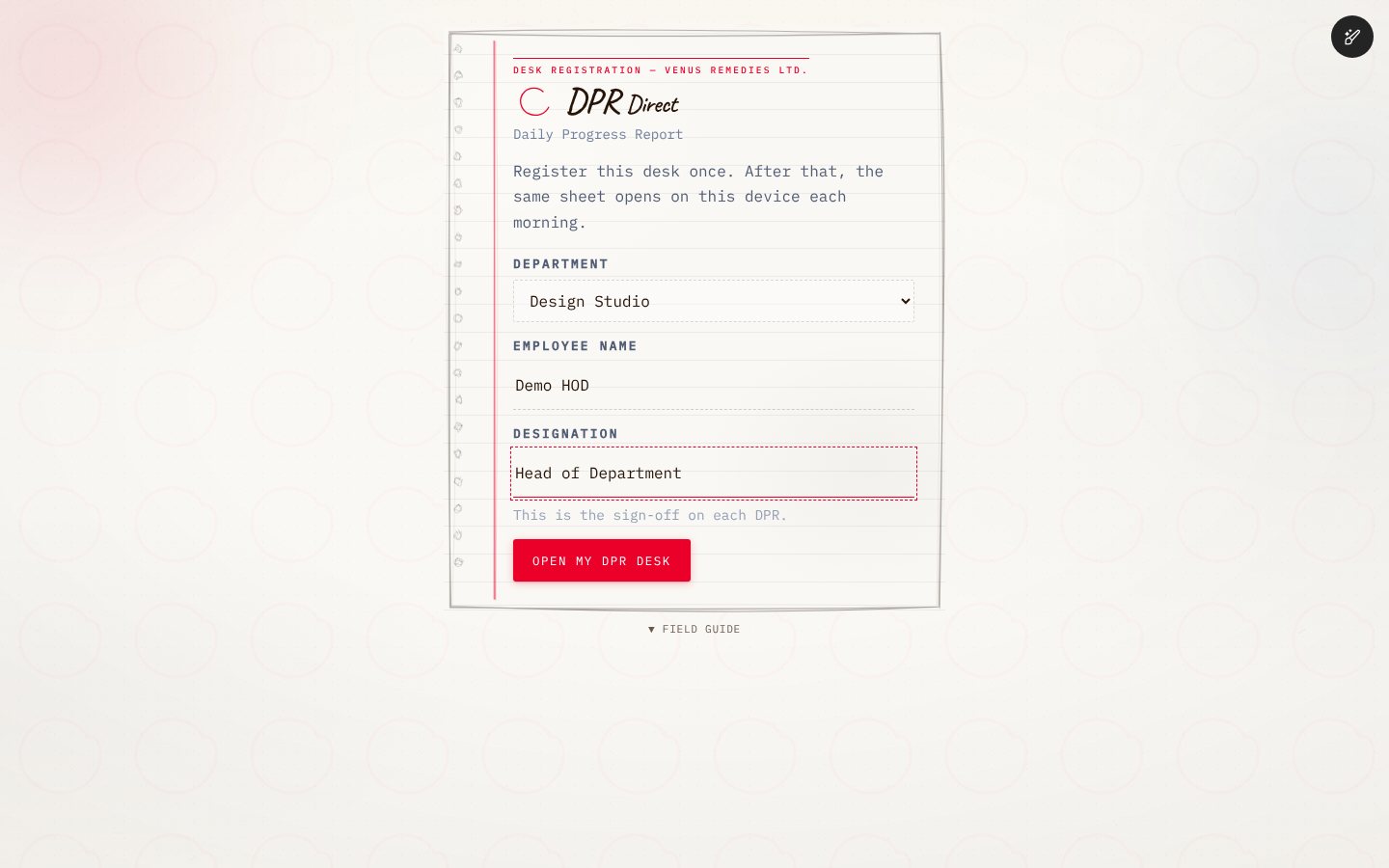
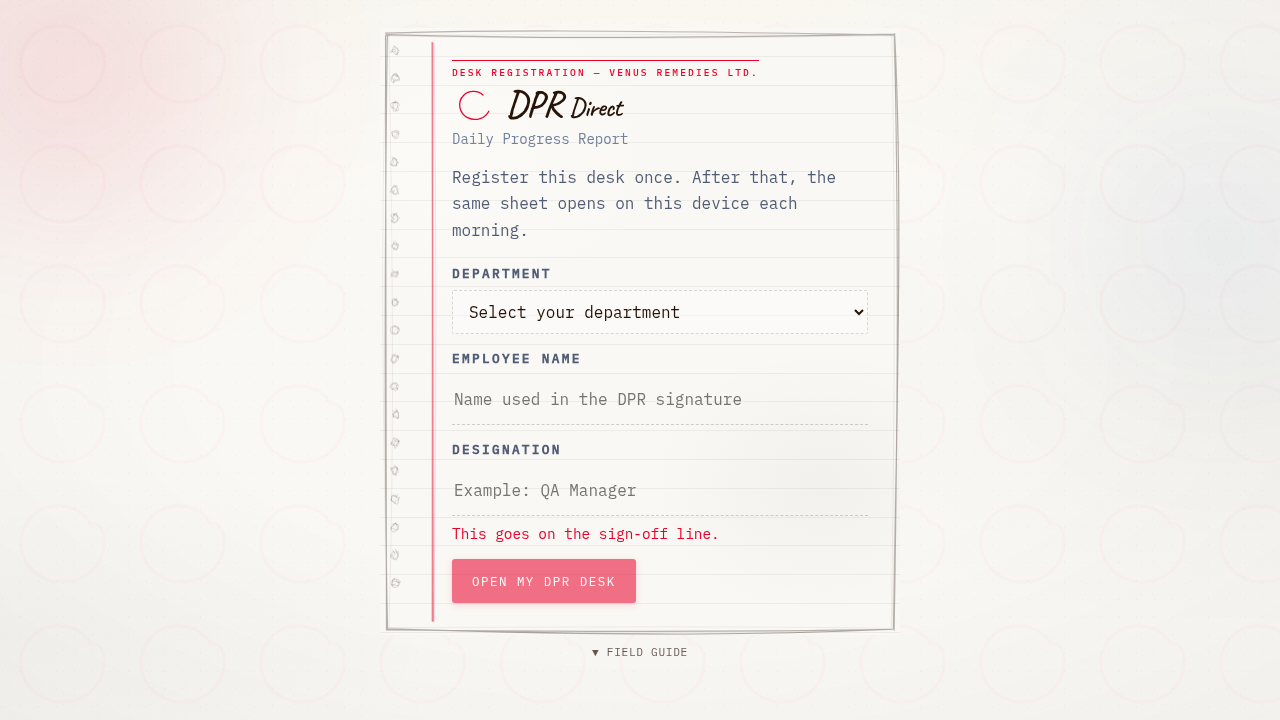
    Register the desk once

    You
    Picks a department and writes a name
    It answers
    Remembers the desk on this device, so the same sheet opens every morning
    Desk registration card with department, name and designation fields
  2. 02 / 05

    Write only what changed

    You
    Adds a flag and a project line
    It answers
    Keeps each line as a tri-state item and carries open ones to tomorrow
    Docket with a flag to management lane and an assigned projects lane, each holding a line
  3. 03 / 05

    Tick the mission updates

    You
    Ticks a Mission 2030 line and adds a note
    It answers
    Lists the desk’s own mission lines, so nothing is retyped
  4. 04 / 05

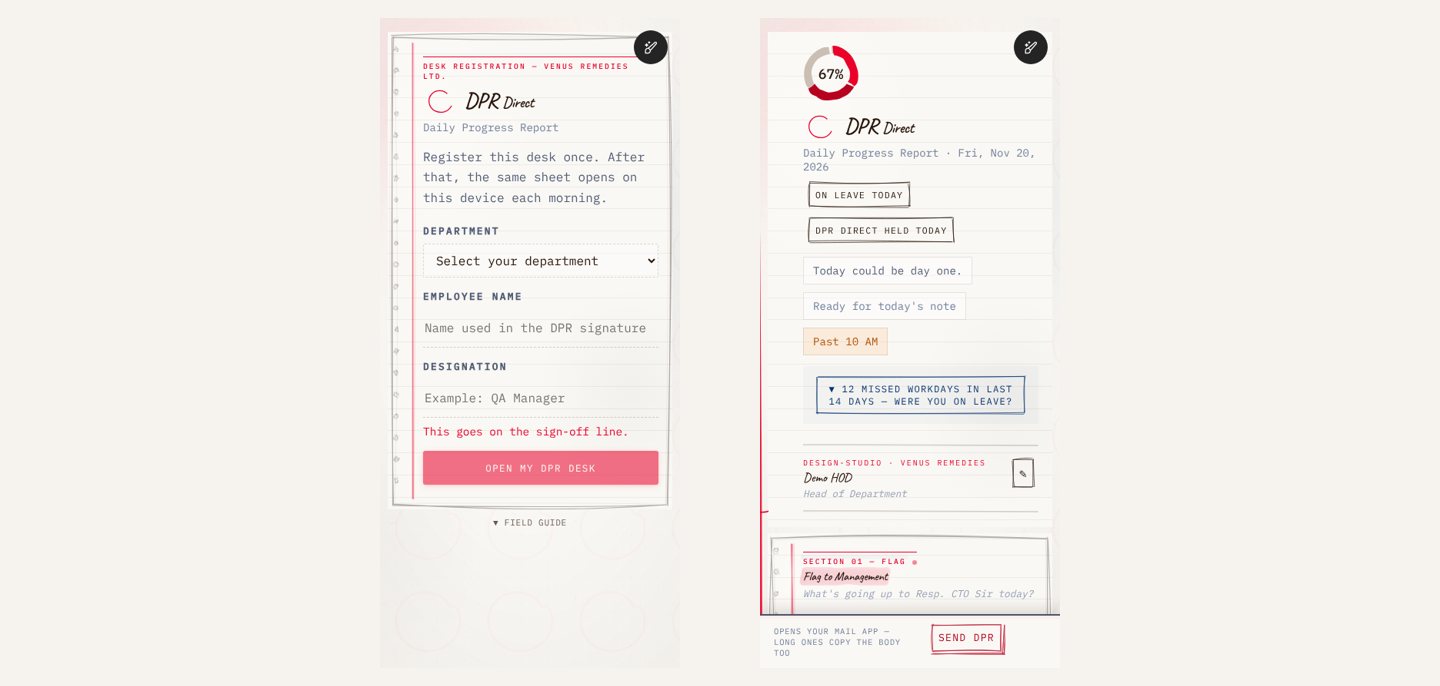
    Send in one tap

    You
    Taps Send DPR
    It answers
    Opens the mail app with a fixed subject, or copies the text when nothing opens
    Phone screens: desk registration and the docket with a Send DPR bar fixed at the bottom
  5. 05 / 05

    Keep the streak

    You
    Marks a day as leave or held
    It answers
    Counts weekdays, holds the streak on covered days and shows a completion ring

03 · What was special

What it stands on

  1. A docket, not a form

    One pre-ruled sheet with three lanes. Yesterday’s open lines come back by themselves.

  2. Local first

    No server, no login. Everything lives in the browser, with a backup file for moving between devices.

  3. A reason to return

    A weekday streak and a completion ring make a daily ritual worth keeping.

A report you write in five minutes, not rebuild every morning.

Making-Of

A daily report that behaves like a working surface, not a spreadsheet.

The first commit: scaffold, brainstorm and plan, the same day

  1. The world before

    The daily progress report was an Excel file. It behaved like an artifact, so it was easy to delay.

  2. One day

    21 April 2026. The first commit landed a scaffold with the brainstorm and the plan for a five-minute docket.

  3. Because of that

    1. Today’s submission counted toward the streak at once (21 Apr).
    2. Leave handling and milestone moments were added (3 May).
    3. Send moved to mailto to get past popup blockers (5 May).
    4. A pocket layout and a mail-app send path made the phone a first-class screen (12 Jun).
    5. The whole dispatch desk became an installable app (15 Aug).
  4. Until finally

    DPR launched and is in daily use by department heads.

  5. Since then

    Desks keep being added, and send paths adjusted as the mail client changes.

The evidence Process, hands, and artifacts

Process

  1. Origin

    A five-minute docket replacing the Excel report

  2. Ritual

    Leave handling, streaks and milestone moments

  3. Send

    Mailto instead of a popup, with a clipboard fallback

  4. Texture

    Paper atmosphere and ink marks, kept subtle

  5. Pocket

    A mobile layout with a mail-app send bar

  6. Install

    A full PWA for the dispatch desk

Hands

Akshansh

  • The idea, the three-lane docket and the tone
  • Brand and mark direction
  • Review of what the agents built

Agents

  • Claude CodePrimary builder
  • CursorExecuted written briefs
  • AmpTargeted fixes