Back to the shelf

022

Mermaid Visualizer

A self-hosted Mermaid diagram tool with a live split pane, starter templates, and saved diagrams.

Launched · Started October 2025 · Tool · Vibe-Coded

That's the whole thing.

The site's sound is off. The narration still plays.

This reading didn't load. The transcript is below.

Read the transcript

I kept reaching for the Mermaid Live Editor and running into its edges. Mermaid is a text syntax: you write plain code and it turns into flowcharts, sequence diagrams, entity relationship diagrams. The official editor works. It just never felt like mine.

I built one for AC Creations, my studio label. Write syntax on the left, watch the diagram render live on the right. Starter templates, several export formats, saved diagrams. Fully self-hosted, fully under my control.

I vibe-coded it with AI in January twenty twenty-six, using React and Express. It is live now. If you diagram with text, take a look.

Narrated in my own cloned voice, generated with ElevenLabs v4.
Mermaid Visualizer
No. 022

Mermaid is a text syntax for diagrams. You write plain code and it renders as a flowchart, a sequence diagram, or an entity relationship diagram. No drag-and-drop, no canvas. Just syntax.

The standard Mermaid Live Editor works, but it shows its edges fast when you want templates and a place to keep your work. I wanted an everyday tool I actually trusted: polished, self-hosted, fast, and fully under my control.

So I built the Mermaid Visualizer. It has a split pane: write your syntax on the left, watch the diagram appear on the right in real time. Starter templates help you skip the blank-page problem. Several export formats are available when you need the diagram somewhere else. Saved diagrams keep your work where you left it.

I built it for AC Creations, my studio label, and vibe-coded it with AI between October 2025 and January 2026. The stack is React, TypeScript, Express, Tailwind, and Drizzle.

It is live now.

The making

  • React
  • TypeScript
  • Express
  • Tailwind CSS
  • Drizzle ORM

01 · The problem

Before it existed

What hurt

The standard Mermaid editor works, but offers no starter templates and no place to keep my own work. I wanted a diagram tool I trusted and controlled.

Who uses it

  • Me, drawing technical diagrams
  • Designers and writers who diagram in text
  • 76commits
  • 6working days, Oct 2025 to Jan 2026
  • 5xexport resolution
  • 4starter templates

02 · The flow

5 steps, in the order they happen

  1. 01 / 05

    Open the blank editor

    You
    Opens the page
    It answers
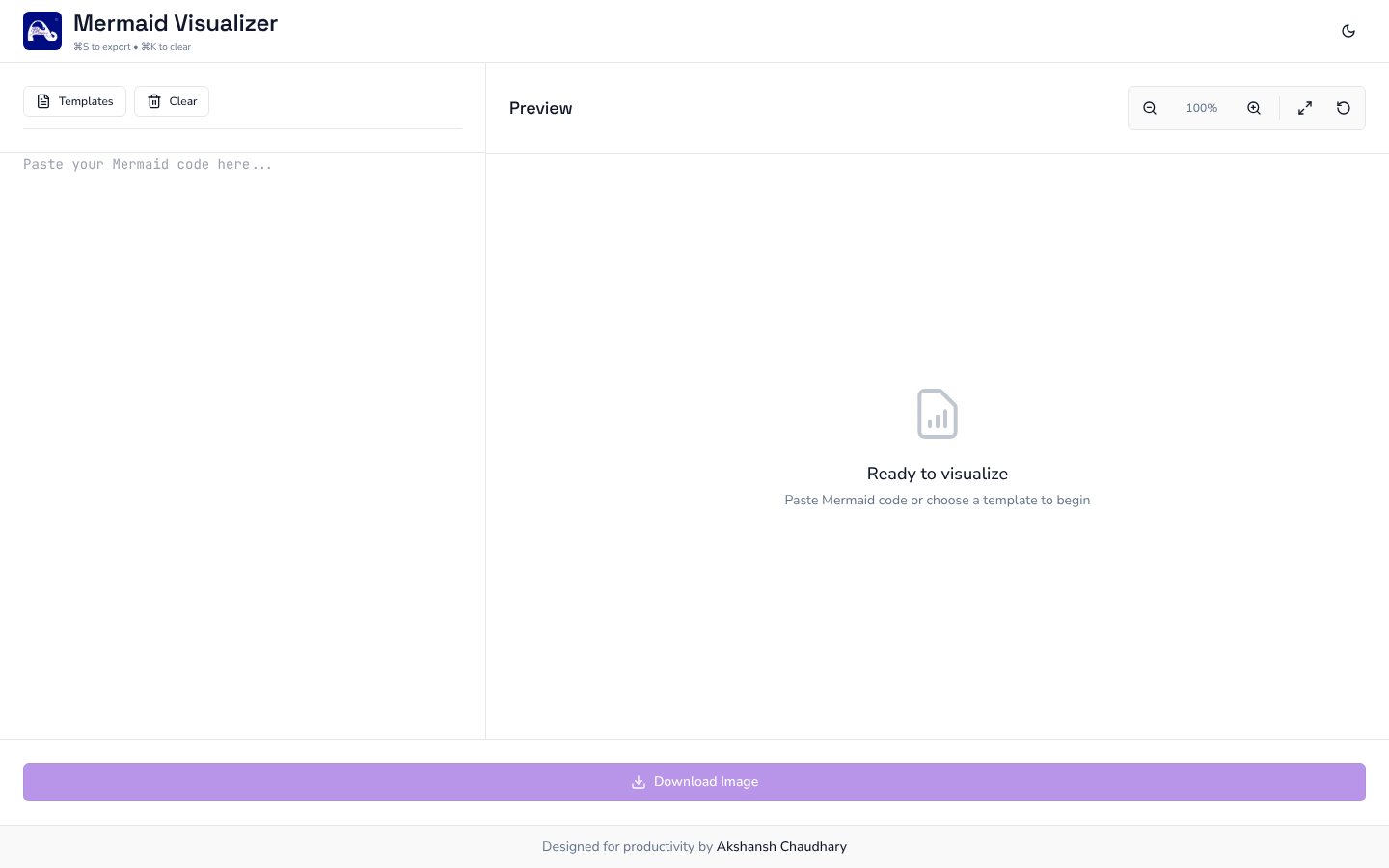
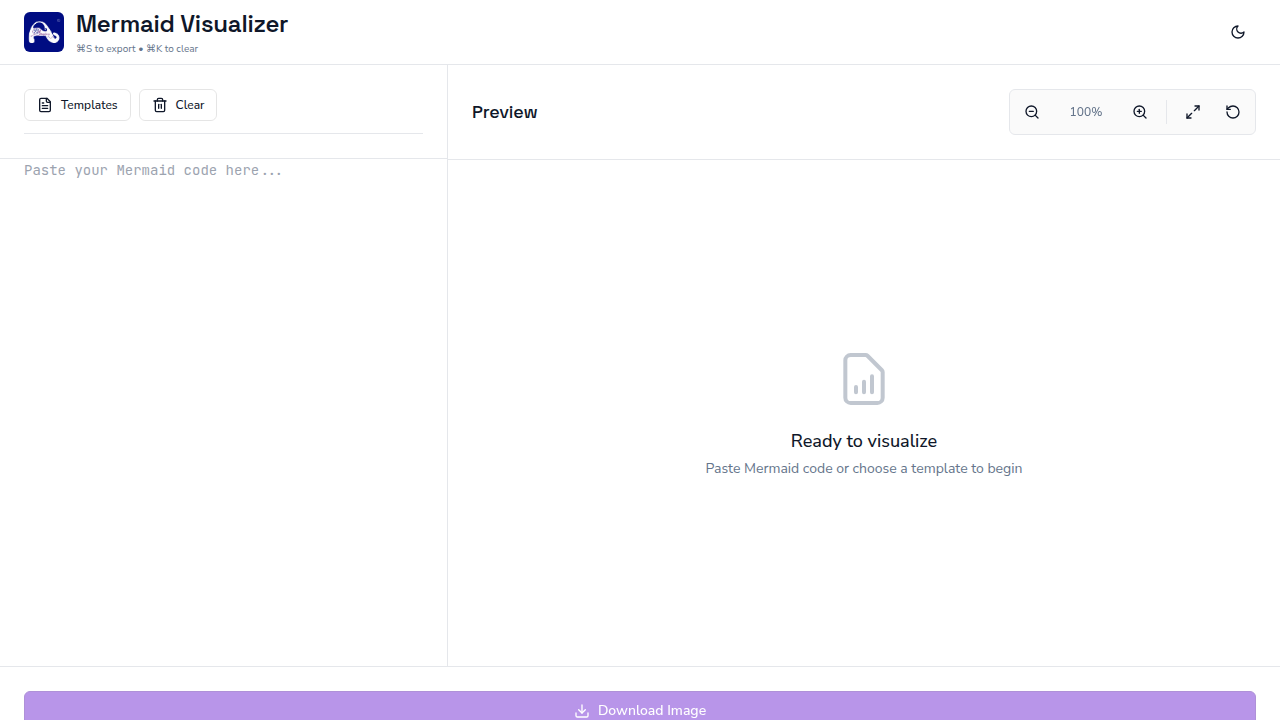
    Shows a code pane on the left and an empty preview on the right
    The empty editor with a Templates button and a Ready to visualize preview
  2. 02 / 05

    Pick a template

    You
    Opens Templates and chooses one
    It answers
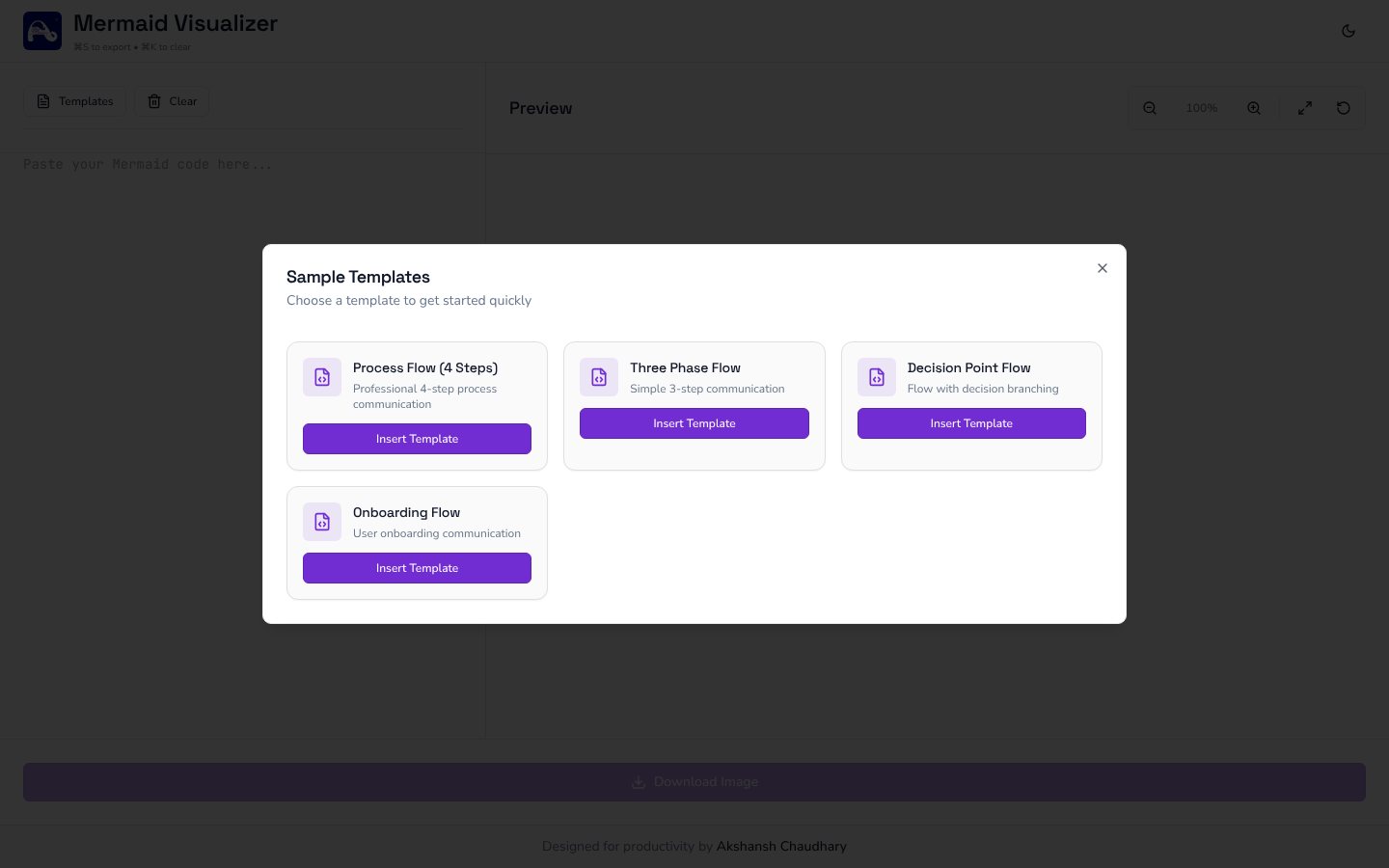
    Offers four starters and fills the editor with the chosen code
    A dialog listing four sample diagram templates
  3. 03 / 05

    Write the syntax

    You
    Types or pastes Mermaid code
    It answers
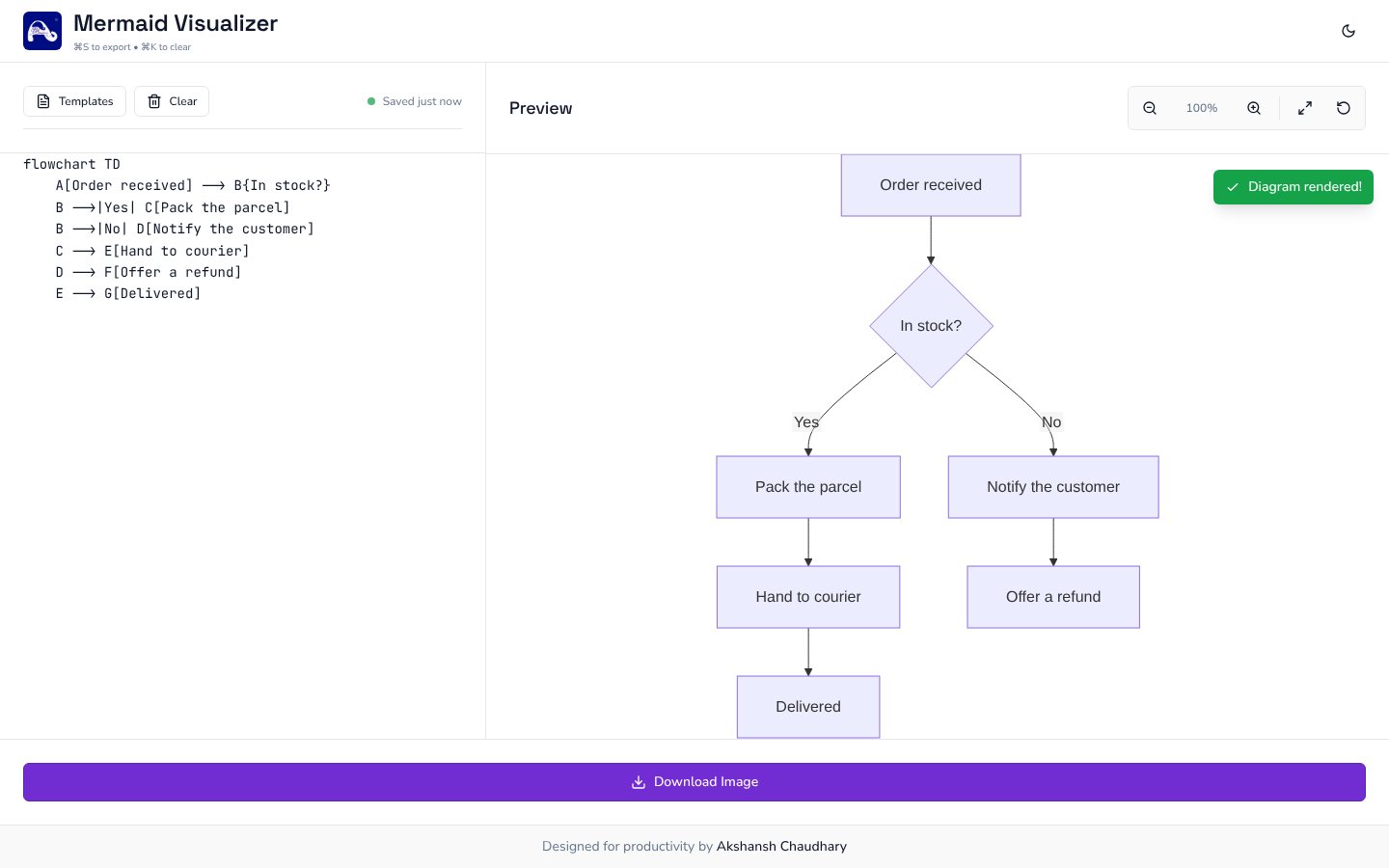
    Redraws the diagram live beside it and confirms with a toast
    A flowchart of an order process rendered beside its code
  4. 04 / 05

    Inspect and switch theme

    You
    Zooms, pans, flips to dark
    It answers
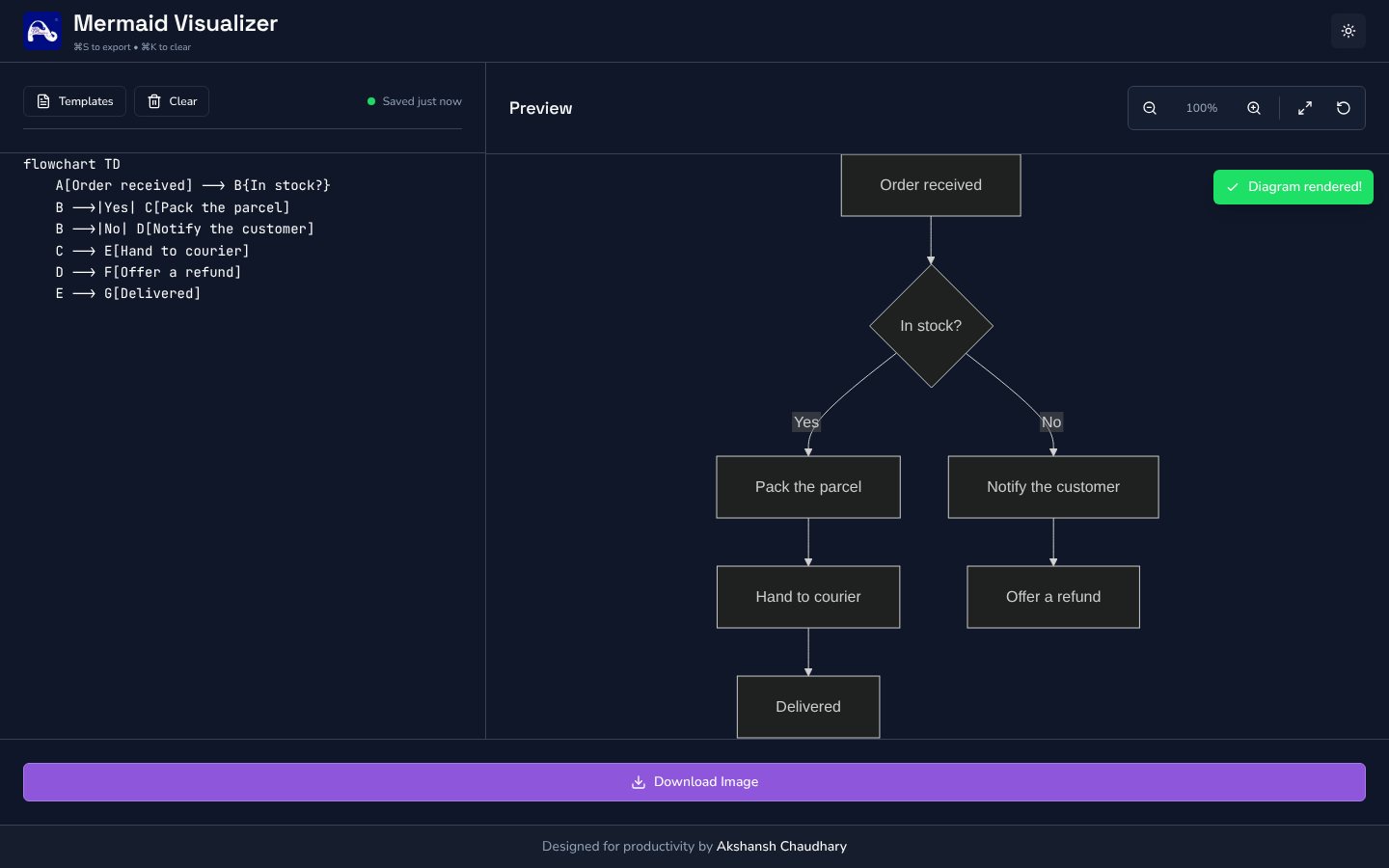
    Keeps the diagram in view and restyles the whole page
    The same flowchart in the dark theme
  5. 05 / 05

    Download the image

    You
    Presses the button or Cmd S
    It answers
    Saves a sharp PNG with fonts and colours kept as drawn

03 · What was special

What it stands on

  1. Export that stays true

    Most of the commits tune one pipeline: styles inlined, drawn at 5x, so the file looks like the screen.

  2. Work stays in the browser

    Code is auto-saved locally and never leaves the device.

  3. Phone-ready

    Two tabs, Edit and Preview, with touch pan and zoom on small screens.

The export matches the preview, pixel for pixel.

Making-Of

The Mermaid editor was fine. I wanted one that was mine.

The first commit in the repository; the Notion brainstorm entry is dated 18 January 2026

  1. The world before

    Mermaid turns plain text into diagrams. The official live editor works, but has no templates and no home for my own work.

  2. One day

    11 October 2025. The first commit: a web app to visualise and export Mermaid diagrams, redesigned for mobile and set to dark mode by default within the day.

  3. Because of that

    1. 11 October 2025. A PNG export pipeline, rebuilt several times in one day until it rendered the SVG faithfully.
    2. 13 November 2025. Figma-like zoom and pan, a favicon and search metadata.
    3. 23 November 2025. Exports keep the original colours and stay readable in light and dark.
    4. 11 and 14 January 2026. Fixes for clipped text, spacing and padding in exported images.
    5. 18 January 2026. A last export pass with Claude and alignment updates with Codex.
  4. Until finally

    The tool is live: a split-pane editor with templates, live preview, theme toggle and a 5x PNG export.

  5. Since then

    No commits since 18 January 2026. The tool stays live at its public address.

The evidence Process, hands, and artifacts

Process

  1. Origin

    A web app for Mermaid diagrams, mobile-first, dark by default

  2. Export

    PNG export drawn from the SVG, with fonts and title included

  3. Interaction

    Figma-like wheel zoom and drag to pan

  4. Fidelity

    Keep original diagram colours; readable in every theme

  5. Polish

    Padding, spacing and bounds tuned so nothing clips

  6. Handover

    Final export and alignment updates with Claude and Codex

Hands

Akshansh

  • Concept and the case for replacing the stock editor
  • Design direction: purple accent, dark default, phone layout
  • Testing each export against the preview

Agents

  • ReplitBuilt and published the first versions
  • ClaudeFinal export update
  • CodexAlignment and follow-up updates