Back to the shelf

016

Venus Appraisal Calculator

The announced increment and the deposited increment are not the same thing. This calculator shows the gap.

Launched · Started September 2025 · Tool · Vibe-Coded

That's the whole thing.

The site's sound is off. The narration still plays.

This reading didn't load. The transcript is below.

Read the transcript

Every appraisal season, the same confusion plays out. A manager announces an increment. The employee nods. The salary arrives smaller than expected. The gross and the real take-home are not the same thing.

I built this for Venus Remedies in September twenty twenty-five. You enter your current salary and the proposed increment, as a percentage or a target amount. The calculator works both ways. It shows the monthly breakdown after deductions, a before-and-after comparison, and exactly how much of that increment reaches your account. Everything updates in real time.

One file. No frameworks. Built in the company's brand, with some help from AI.

The goal was to give both sides honest numbers before the conversation starts. It's launched, and I'm glad it exists.

Narrated in my own cloned voice, generated with ElevenLabs v4.
Venus Appraisal Calculator
No. 016

Appraisal season is one of those moments where numbers mean everything and explain very little. The increment announced sounds right in the room. Then payday comes, and the take-home change is smaller than expected. Both figures are correct. They’re just measuring different things.

I built this for Venus Remedies in September 2025 because of that gap. The math behind it was rarely shown in plain view.

The calculator takes a current salary and a proposed increment. Enter it as a percentage or as a target amount, whichever way you’re thinking about it. Either direction works. It computes the monthly breakdown after deductions, handles different employee categories, and shows a before-and-after comparison that makes the change in take-home pay clear. Everything updates in real time.

That comparison shifts the conversation. HR and employees are looking at the same numbers. The gap between the gross increment and the actual take-home is visible, named, and explainable. Named things are easier to discuss than felt ones.

One file: HTML, CSS, and JavaScript, no frameworks, in the company’s brand. Vibe-coded with AI. It’s launched and live.

The making

  • React
  • Vite

01 · The problem

Before it existed

What hurt

The increment announced in the room and the increment that lands in the account are different numbers. Nobody could show the gap before payday.

Who uses it

  • HR officers
  • Department heads
  • Employees
  • 66commits
  • 55commits on day one
  • 3scenarios side by side

02 · The flow

5 steps, in the order they happen

  1. 01 / 05

    Enter the salary

    You
    Types the current gross monthly salary
    It answers
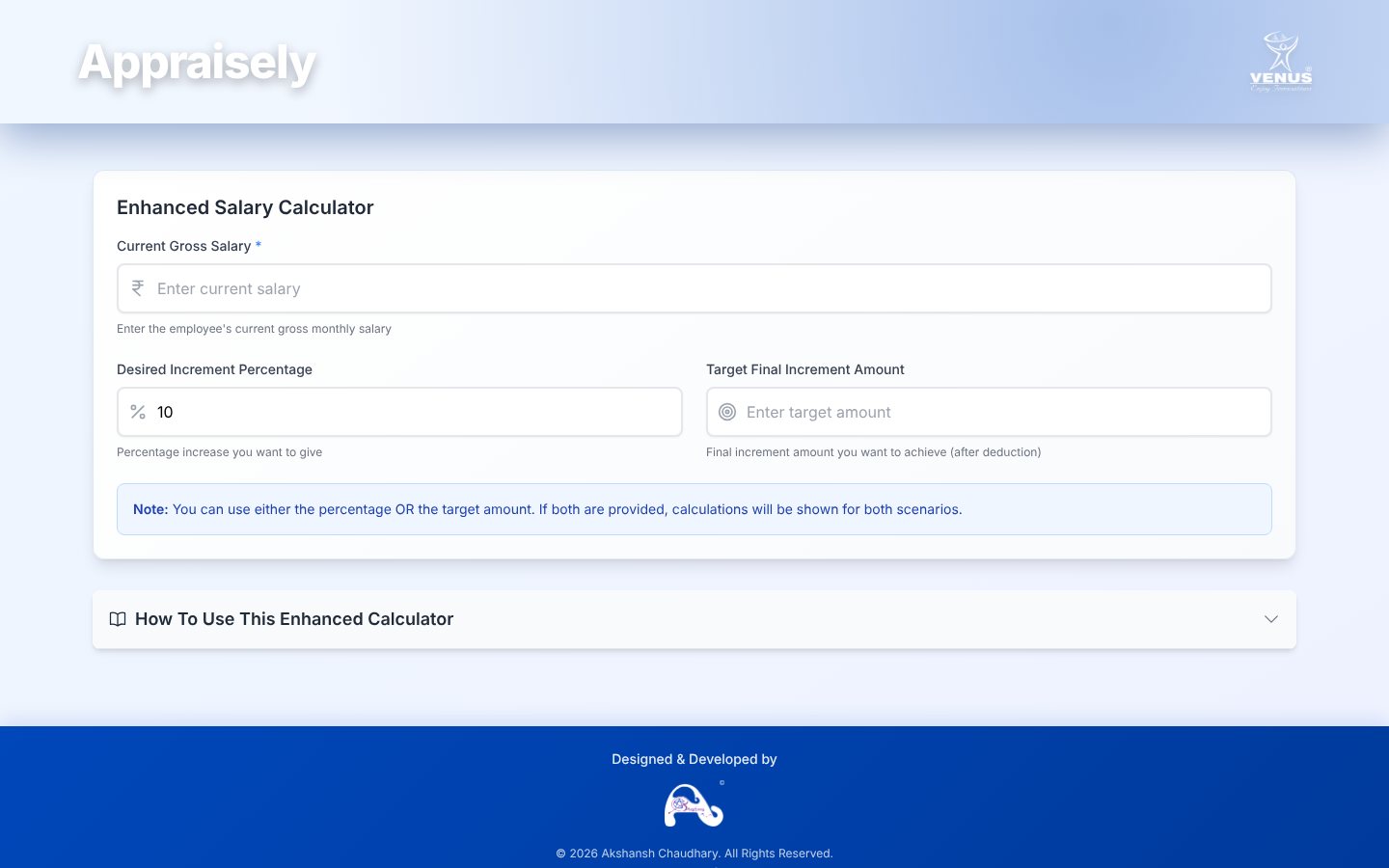
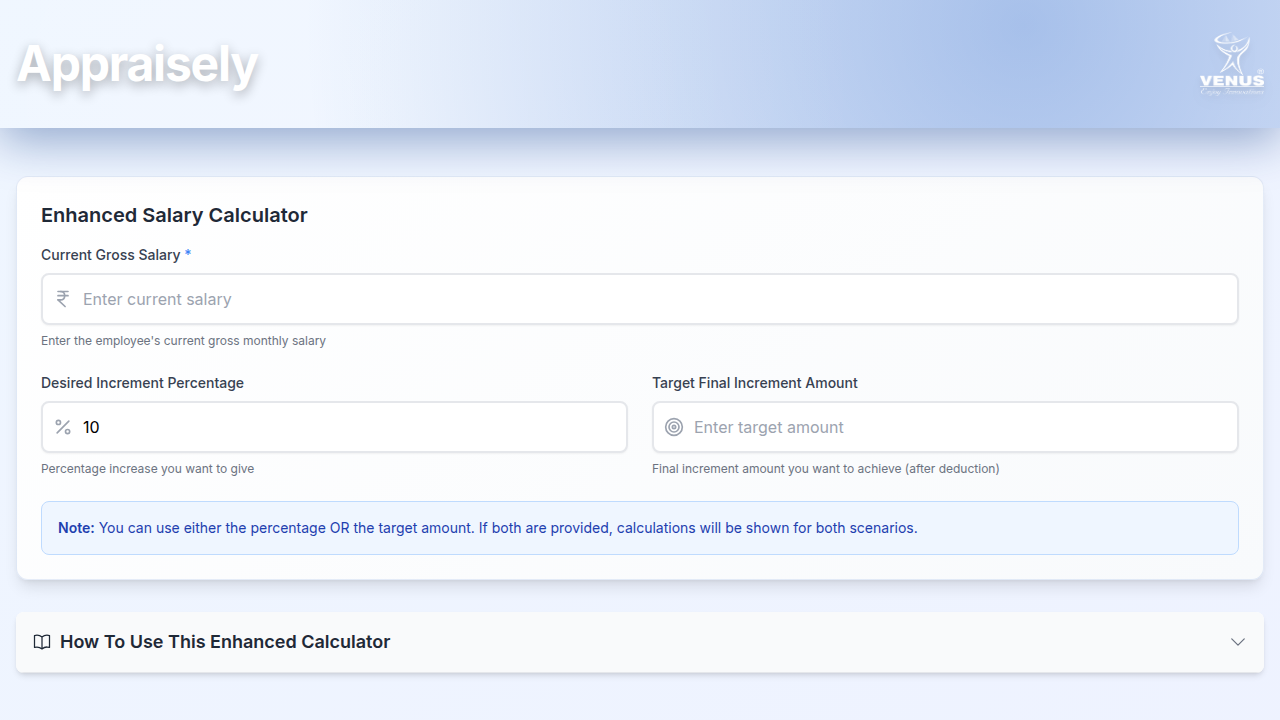
    Opens a clean form with one required field and a 10 per cent default
    The empty calculator under a blue Venus header, with salary, percentage and target fields
  2. 02 / 05

    Set the percentage

    You
    Chooses the increment to give
    It answers
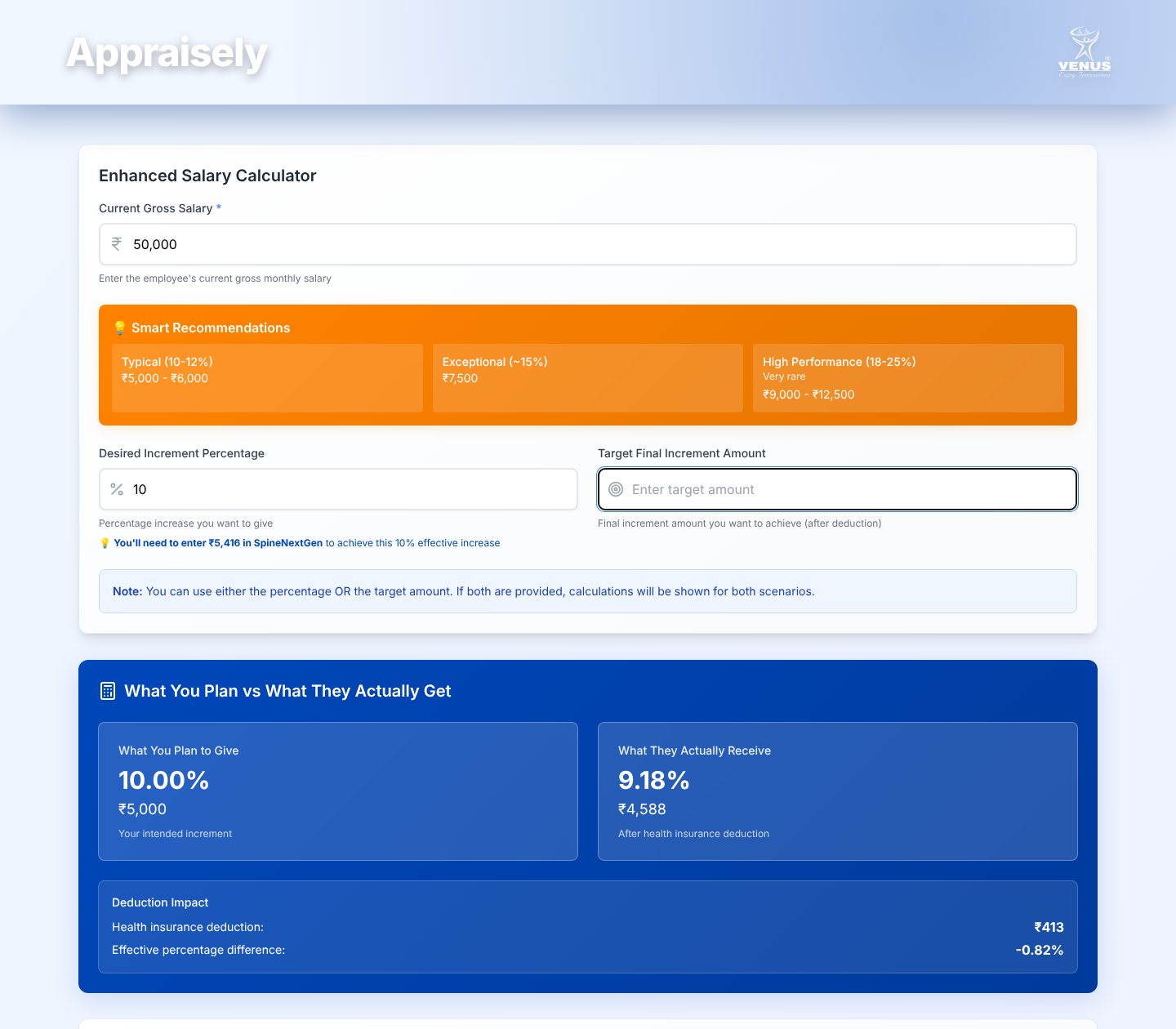
    Shows what is planned beside what is actually received, and the deduction between them
    Plan against receipt: 10 per cent planned, 9.18 per cent received, with the deduction impact
  3. 03 / 05

    Name a target instead

    You
    Types the net increment the employee should get
    It answers
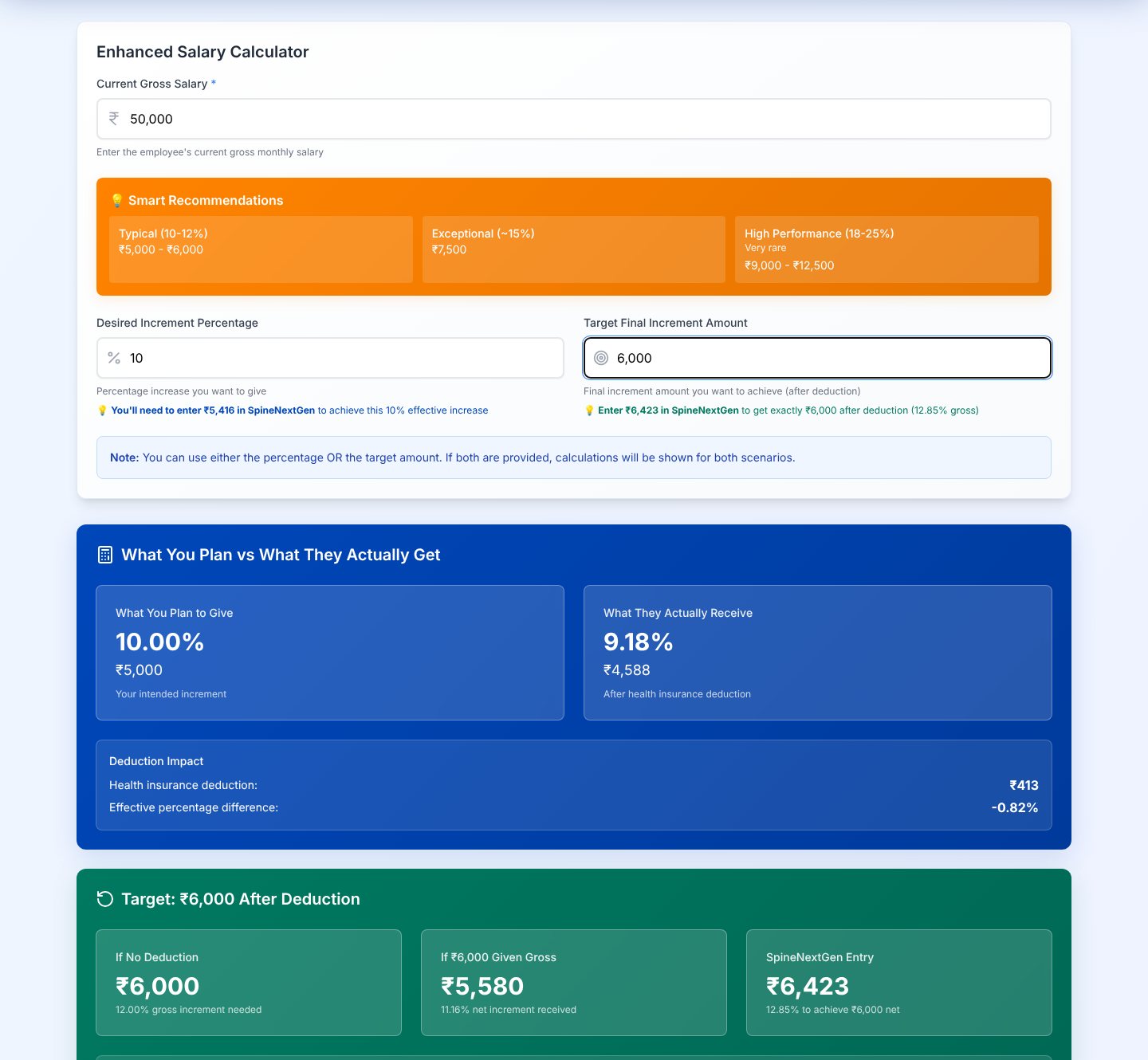
    Works backwards to the exact figure to enter in the ERP, in three scenarios
    Target panel with no-deduction, given-as-gross and ERP-entry scenarios
  4. 04 / 05

    Check the working

    You
    Reads the step-by-step table
    It answers
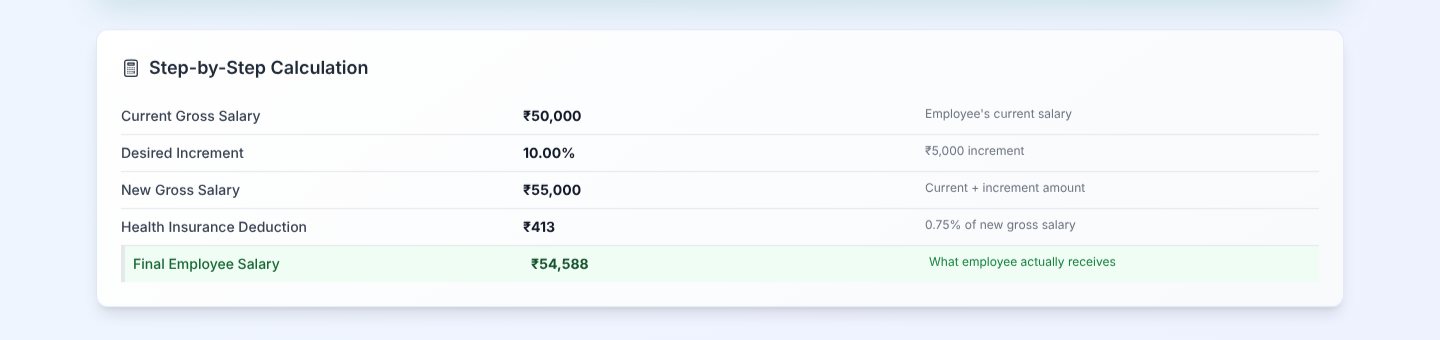
    Lists each figure from current salary to final salary, one line each
    Step-by-step calculation table ending in the final employee salary
  5. 05 / 05

    Read the guide

    You
    Opens the how-to panel
    It answers
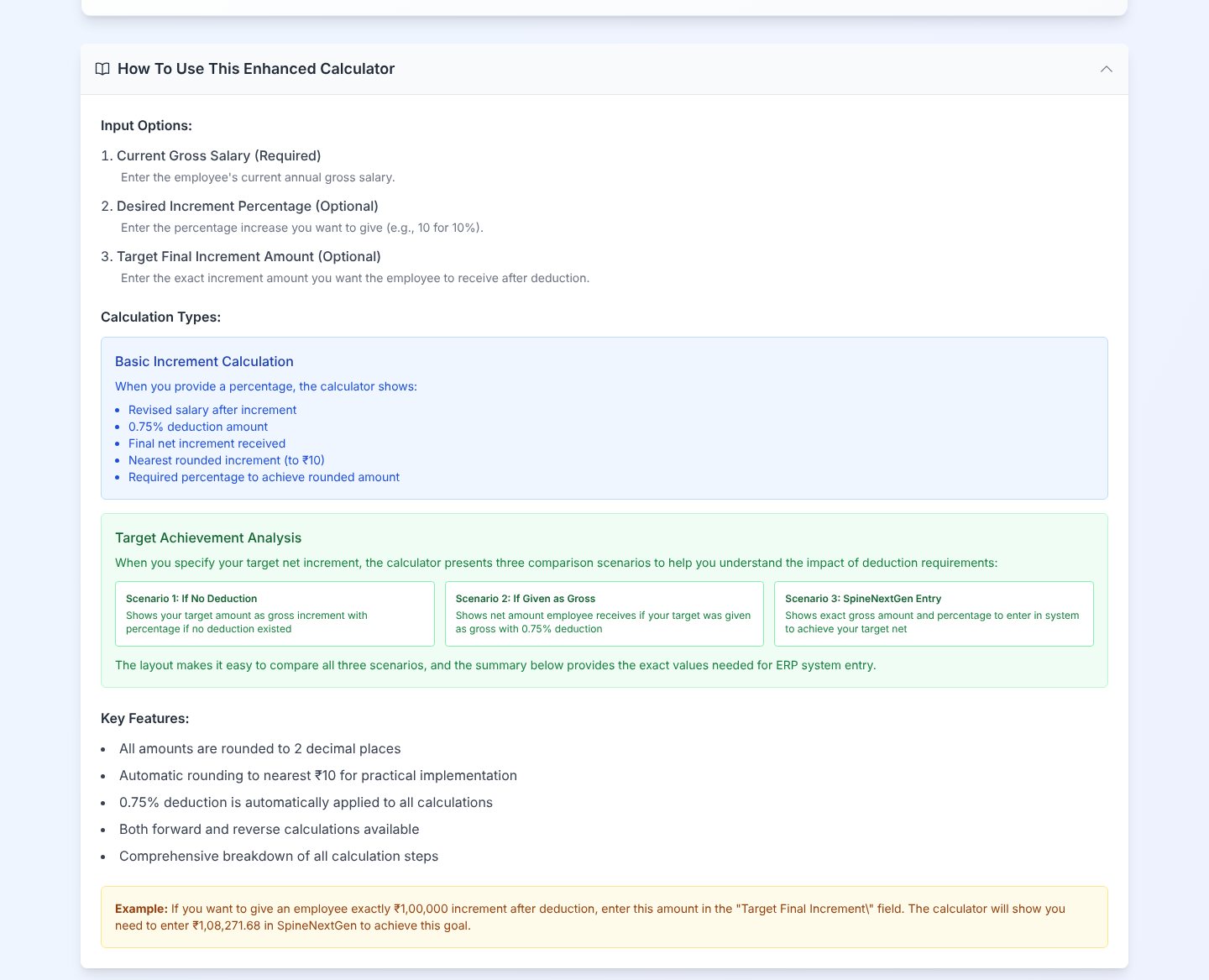
    Explains the inputs, the three scenarios and the rounding to the nearest ten rupees
    Expanded how-to panel with input options, calculation types and key features

03 · What was special

What it stands on

  1. Two ways in

    Give a percentage or a target take-home. Either one fills the other, so HR never solves it by hand.

  2. The gap is named

    Planned and received sit side by side, with the deduction shown as its own line.

  3. Built in a day

    55 of 66 commits landed on 23 September 2025, the day the idea was written down.

It runs the sum backwards, from take-home to ERP entry.

Making-Of

An increment is announced in one number and paid in another. This shows both.

The first Notion brainstorm entry and the first commit, the same day

  1. The world before

    At appraisal time the increment announced and the increment received differed by the health-insurance deduction. Entering the right figure in the ERP meant solving the sum backwards by hand.

  2. One day

    23 September 2025. The idea: an ultra-simple calculator showing intended against effective increment, working both ways between percentage and amount, in Venus branding, with no extras.

  3. Because of that

    1. The first working version, with a three-scenario target panel and a step-by-step table, was built the same day (23 September).
    2. The deduction rule was corrected so it applies to the new gross salary, and auto-calculation was removed from the salary field (25 September).
    3. The percentage step moved from 0.01 to 1 per cent, and keyboard and tab navigation were tightened (13 November).
    4. A new logo and search-friendly page details went in, and the app was published (13 November).
  4. Until finally

    The calculator is live. Its footer marks it for internal use only.

The evidence Process, hands, and artifacts

Process

  1. Origin

    Show intended against effective increment, working both ways

  2. Build

    Three target scenarios, a step table, Venus colours and logo

  3. Correction

    Apply the deduction to the new gross; drop auto-calculation

  4. Polish

    One per cent steps, keyboard flow, new logo, published

Hands

Akshansh

  • The problem, the rule and the Venus look
  • Review and direction of what the agents built

Agents

  • ReplitBuilt and iterated the app in its agent workspace
  • Claude CodeDocumentation-first build loop